
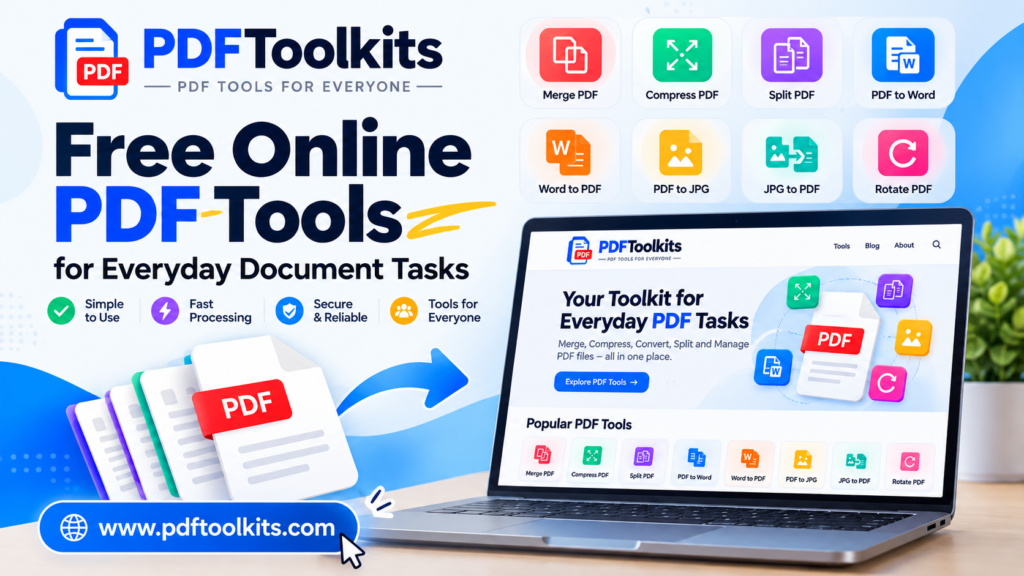
PDFToolkits: Free Online PDF Tools for Everyday Document Tasks
PDF files have become an essential part of modern digital work.
Students use PDFs for assignments and research papers. Researchers use them for manuscripts, articles, reports, and supplementary documents. Businesses use PDFs for invoices, proposals, forms, presentations, and records. Even for everyday users, PDFs are one of the easiest ways to share documents while keeping their formatting consistent.
But working with PDF files is not always simple.
You may need to combine several PDF files into one document, reduce the size of a large PDF, convert a PDF into another format, extract specific pages, or perform another document-related task.
This is where PDFToolkits comes in.
What Is PDFToolkits?
PDFToolkits is an online platform built to provide practical PDF tools for everyday document tasks.
The goal is simple: make common PDF operations easier to access without requiring complicated software or advanced technical knowledge.
Instead of searching for a different solution every time you need to work with a PDF, PDFToolkits brings useful PDF utilities together in one place.
The platform is designed around a straightforward principle:
Useful PDF tools should be simple, accessible, and easy to understand.
Whether you’re a student, researcher, professional, business owner, or everyday internet user, PDFToolkits is designed to help you handle common PDF tasks more conveniently.
Why Was PDFToolkits Created?
PDF is an incredibly useful document format, but managing PDF files can sometimes become frustrating.
Consider a typical situation.
You have several PDF files that need to become one document.
Then you discover that the combined file is too large to upload.
You need another tool to compress it.
Later, you receive a PDF that needs to be converted into an editable format.
You then have to search for another website.
This repeated process can be inconvenient.
PDFToolkits aims to bring these types of document utilities together so users can find the right tool more easily.
The idea is not to make PDF management complicated. It is to make common tasks more straightforward.
What Can You Do With PDFToolkits?
PDFToolkits is being developed as a collection of online PDF utilities covering different types of document tasks.
Depending on the tool, users may be able to perform operations such as:
- Merge multiple PDF files
- Compress PDF documents
- Split PDF files
- Convert PDFs between different formats
- Convert images into PDF documents
- Extract or organize PDF pages
- Rotate PDF pages
- Perform other useful PDF operations
The collection will continue to grow as new tools and document utilities are added.
PDF Tools for Students
Students frequently work with PDF documents.
Assignments, lecture notes, research papers, study materials, project reports, certificates, and application documents are often shared as PDFs.
For example, a student may need to combine an assignment with supporting documents into a single PDF before submitting it.
PDFToolkits can provide convenient tools for these types of everyday document tasks.
PDF Tools for Researchers and Academics
Researchers often deal with a large number of digital documents.
Academic workflows can involve:
- Research papers
- Journal articles
- Thesis chapters
- Supplementary information
- Figures and tables
- Research reports
- Conference documents
- Supporting files
Managing these documents can become time-consuming when different PDF operations are required.
PDFToolkits is intended to provide useful utilities that can fit into these workflows and make routine document handling easier.
PDF Tools for Professionals and Businesses
PDF files are also central to many professional workflows.
Businesses and professionals may work with:
- Invoices
- Reports
- Contracts
- Proposals
- Forms
- Receipts
- Business records
- Client documents
Having accessible PDF utilities can make some of these routine tasks more convenient.
For example, combining several related documents into one PDF can make a final report easier to share or archive.
Why Use Online PDF Tools?
One advantage of online PDF tools is convenience.
When a PDF task can be completed through a browser, users may not need to install a separate desktop application for every individual operation.
A typical workflow can be as simple as:
Open the tool → Upload your file → Select the required options → Process the document → Download the result
The exact process varies depending on the tool.
For many everyday PDF tasks, this approach can save users time and reduce unnecessary software installation.
Designed With Simplicity in Mind
PDFToolkits is being developed with a focus on straightforward interfaces.
PDF tools shouldn’t require users to understand complicated technical terminology just to perform a basic operation.
For this reason, the tools are designed around clear actions and simple workflows wherever possible.
The objective is to help users understand:
What does this tool do?
What file should I upload?
What options do I need to select?
How do I get my finished document?
This approach is particularly useful for people who don’t regularly work with PDF software.
More Than Just PDF Tools
PDFToolkits is intended to become more than a collection of individual utilities.
The website will also publish guides and educational articles about working with PDF documents.
These articles can cover topics such as:
- How to manage PDF files
- How to reduce PDF file size
- How to combine PDF documents
- How to convert PDF files
- How to organize digital documents
- PDF tips and best practices
- Solutions to common PDF problems
The purpose of the blog is to provide practical information rather than simply promote tools.
Our Approach to PDF Utilities
There are countless PDF websites available online.
PDFToolkits takes a practical approach: focus on useful tools, straightforward interfaces, and helpful information.
The platform is being developed around several principles.
Simple
Tools should be understandable without requiring advanced technical knowledge.
Practical
Each tool should solve a specific document-related problem.
Accessible
Users should be able to access useful PDF utilities through a web browser.
Continuously Improving
PDFToolkits will continue to add and improve tools based on common document-management needs.
Who Is PDFToolkits For?
PDFToolkits is intended for a broad range of users.
Students
For assignments, projects, applications, study materials, and academic documents.
Researchers
For papers, reports, thesis-related documents, supplementary files, and research workflows.
Teachers and Educators
For preparing, organizing, and sharing educational documents.
Professionals
For reports, proposals, forms, invoices, and business documents.
Businesses
For everyday document management and administrative workflows.
Everyday Users
For anyone who occasionally needs to perform a task with a PDF file.
What Makes PDFToolkits Useful?
The main idea behind PDFToolkits is convenience.
Instead of treating PDF management as a complicated technical process, the website brings common document operations into an accessible online environment.
You don’t necessarily need to become an expert in PDF software to perform a simple PDF task.
You simply need the right tool.
And that’s what PDFToolkits is being built to provide.
What You’ll Find on PDFToolkits
As the platform grows, you’ll find different categories of PDF utilities designed around specific needs.
These may include tools for:
PDF Organization
Merge, split, rotate, and manage PDF pages.
PDF Compression
Reduce file sizes when documents are too large to upload or share conveniently.
PDF Conversion
Convert PDF documents to other formats and convert other file types into PDFs.
PDF Processing
Perform common operations needed when working with digital documents.
PDF Guides
Learn how to solve common PDF problems and manage documents more effectively.
Start Exploring PDFToolkits
If you regularly work with PDF documents, PDFToolkits is designed to give you a convenient place to find useful PDF utilities.
Whether you need to combine documents, reduce a file size, convert a document, or perform another PDF task, you can explore the available tools and choose the one that matches your needs.
Explore PDFToolkits and discover the tools available for your next PDF task.
Frequently Asked Questions
What is PDFToolkits?
PDFToolkits is an online platform providing tools for common PDF document tasks such as merging, compressing, converting, splitting, and managing PDF files.
Is PDFToolkits designed for beginners?
Yes. The tools are designed with straightforward workflows so that users can perform common PDF tasks without needing advanced technical knowledge.
Who can use PDFToolkits?
PDFToolkits is intended for students, researchers, educators, professionals, businesses, and everyday users who work with PDF documents.
Do I need special PDF software?
Many PDF tasks can be performed using online tools through a web browser. Whether additional software is required depends on the specific task and tool.
What PDF tools are available?
PDFToolkits is developing a growing collection of tools for PDF merging, compression, conversion, splitting, organization, and other document-related tasks.
Will more tools be added?
Yes. PDFToolkits is designed as a growing collection of online PDF utilities, with additional tools and resources planned over time.
Final Thoughts
PDF documents are now part of everyday digital life, but working with them shouldn’t have to be unnecessarily complicated.
PDFToolkits was created to make common PDF tasks more accessible through simple online utilities.
From students and researchers to professionals and everyday users, the platform aims to provide practical tools for managing PDF documents more conveniently.
This is just the beginning.
As PDFToolkits grows, we’ll continue adding useful tools, publishing practical guides, and improving the experience of working with PDF documents online.
Welcome to PDFToolkits — your toolkit for everyday PDF tasks.